

Wedding Guest Photo Sharing Features
Everything IDoSnap.com does, in five parts. Labels show the first plan that includes a feature; unlabeled features are on every plan, including Free. Full detail: compare plans.
Collect every moment
One QR code for the whole wedding, and uploads that keep going when the venue Wi-Fi doesn't.
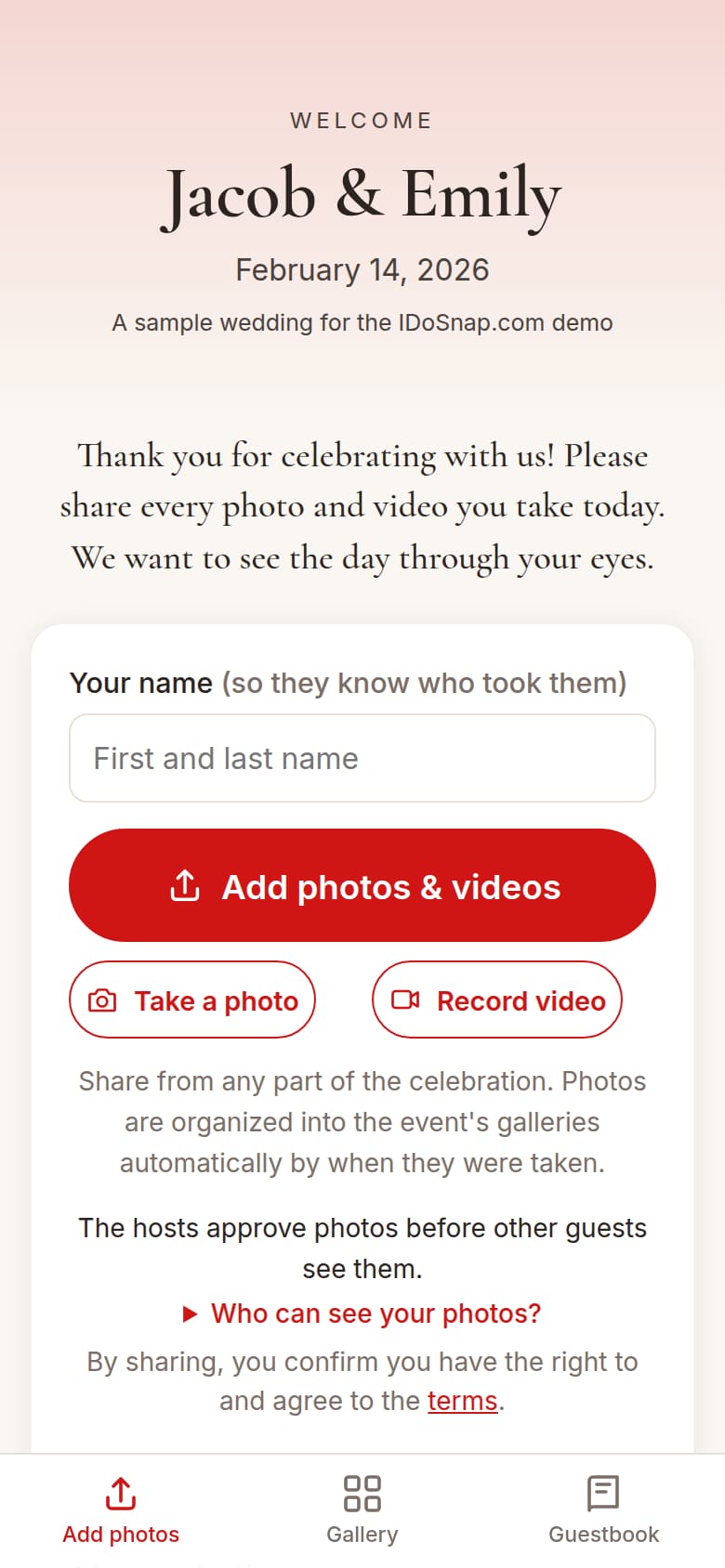
One QR code and short link
No app download, no guest login. Works in any phone browser, including Samsung Internet.
Progressive uploads
Progressive uploads and retries help alleviate poor Wi-Fi, even for big videos.
Offline queue
Pick photos even if you have no signal; they wait on the phone and send when signal returns. Reopening the page picks the queue back up (phone browsers such as Safari may pause uploads in the background).
Photos and videos
HEIC, JPEG and PNG photos up to 25 MB on Free (up to 100 MB on Heirloom). MOV and MP4 videos on paid plans. Originals kept untouched; files over the plan's size limit can be skipped or shrunk on the phone before sending.
Video uploads Essentials+
Up to 1 GB per video on Essentials, more on Signature and Heirloom.
Simple upload mode
A streamlined upload page with large, easy-to-use controls.
Printable signs
Table cards and a welcome poster with your event's own QR code, plus optional per-table challenge cards. High-contrast codes made for dim rooms. Every sign shows the short link, which you can also write onto an NFC tap sticker.
Photographer links Essentials+
Your pro uploads into the same event at full quality, credited by name, and can import a whole ZIP gallery. One link on Essentials, as many as you need on Signature and Heirloom; uploads follow your approval setting unless you mark a link trusted.
Photo-booth kiosk and disposable-camera mode Signature+
Turn an iPad into a photo booth, or give guests a "disposable camera" with a shot limit and a film look.
Text-a-photo number Heirloom
Guests can text photos to the event's own phone number, and opt in to text alerts.
Duplicate detection
The same file uploaded twice is stored once, and everyone who shared it keeps the credit.
Enjoy the celebration
Guests' photos on the big screen, and several engagement features that encourage more photo sharing.
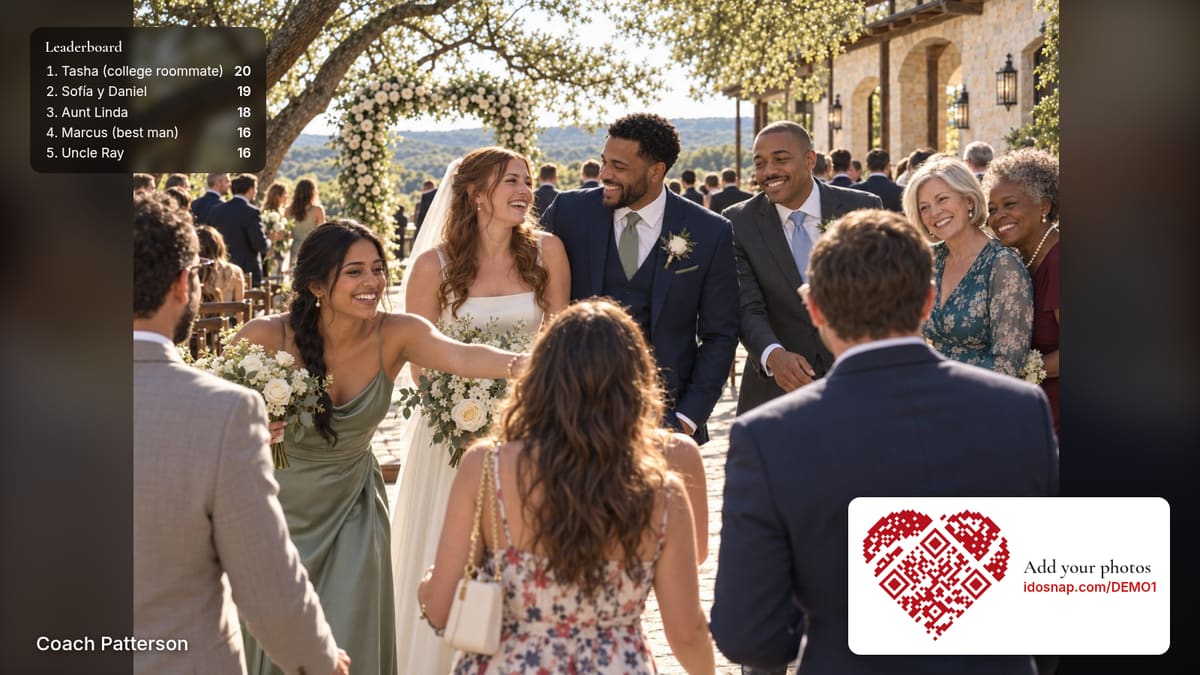
Live photo slideshow
New photos join the show shortly after they're shared (or approved). Your QR code on screen, gentle pans, and your choice of order: a weighted shuffle that favors new and loved photos, random, in order, or newest first.
Videos in the slideshow Essentials+
Guest video clips play in the show, muted unless you unmute them.
Remote live photo slideshow
Share the slideshow with friends and family who couldn't come, subject to your event's privacy settings.
Hidden galleries and scheduled reveal
Keep a gallery (say, getting ready) hidden until the time you choose, or the whole gallery until the next morning.
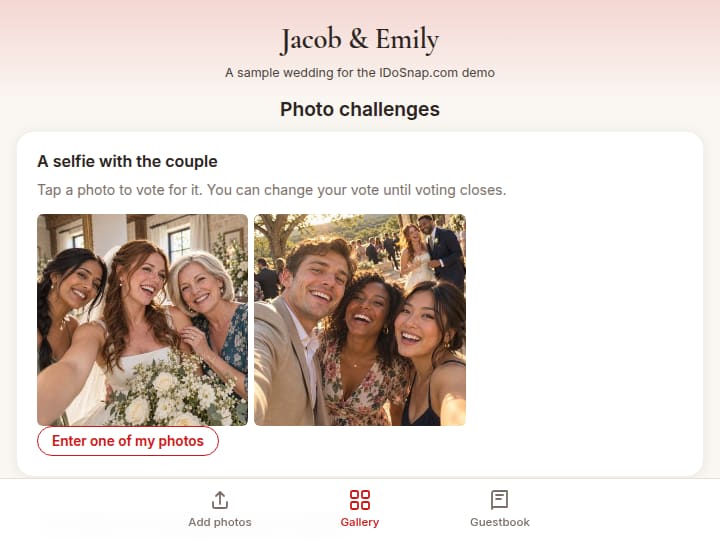
Table challenges and leaderboard Essentials+
Photo prompts with guest voting and winners you announce, and a participation leaderboard.
Missing-shot radar Essentials+
List your must-have shots; guests see which ones are still missing.
DJ song requests Signature+
Guests suggest and vote on songs; the DJ sees the list.

Capture more than photos
Messages from the people who were there, and the ones who couldn't be.
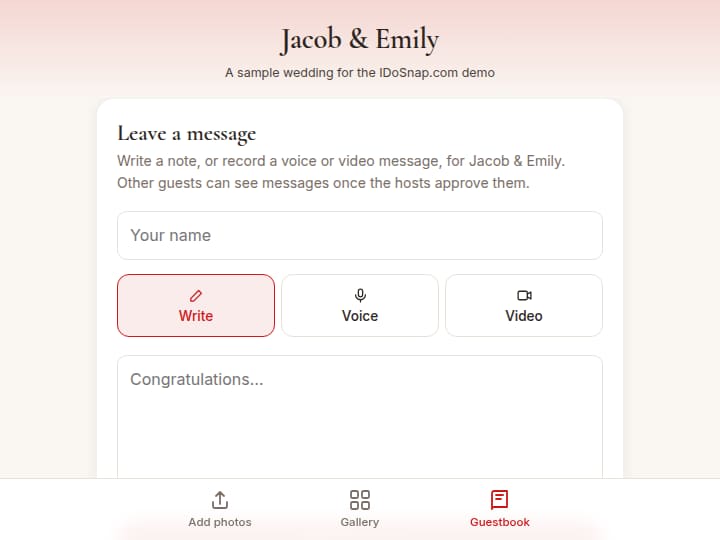
Written guestbook
Guests write a note from their phone. You choose whether messages need your approval.
Voice and video guestbook Essentials+
Recorded right in the browser, nothing to install.
Guestbook transcripts Essentials+
Voice and video messages turned into text you can read and search.
English ↔ Spanish translation
Messages and captions translated automatically for guests and hosts. You can turn it off.
Toast catcher Signature+
Every guest video of a speech, lined up in one multi-angle clip.
Dial-in voice guestbook Heirloom
A phone number guests can call to leave a voice message.
Organize and stay in control
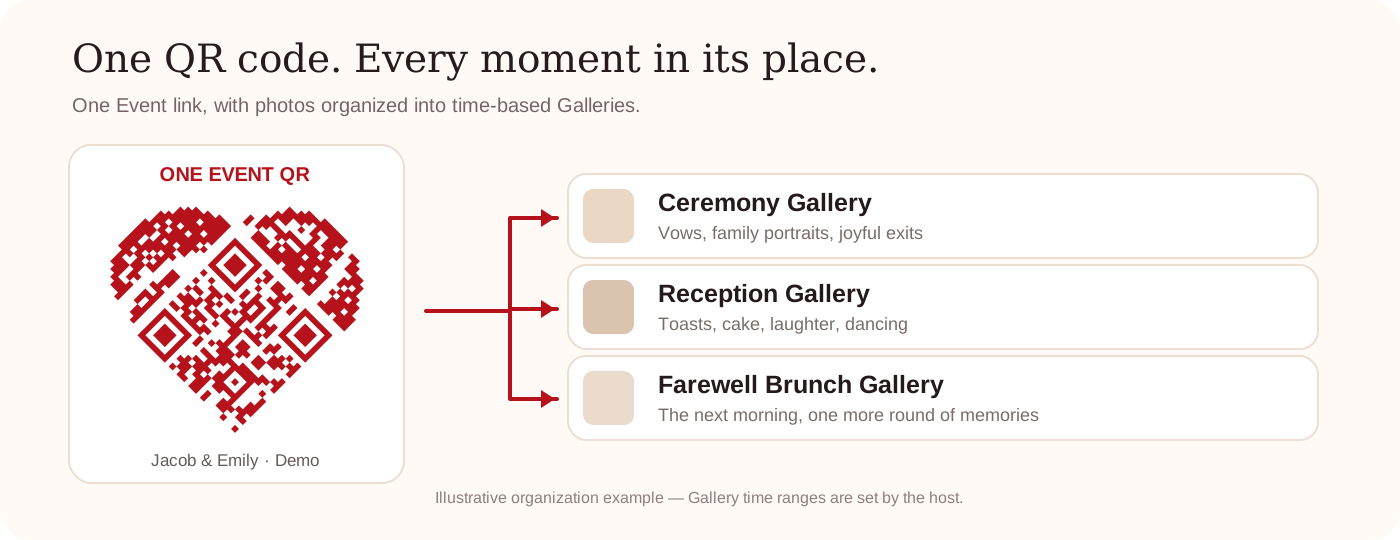
One event QR code, galleries that fill themselves, and the final say on what shows.
Galleries for every part of your wedding
Rehearsal dinner, ceremony, reception, brunch: galleries sit inside one event and share its one QR code. 3 on Free, 5 on Essentials, 10 on Signature, unlimited on Heirloom.
Automatic gallery sorting
Name your galleries and set their start times; photos sort into the right one based on when they were taken.
Moderation
Hide anything instantly, or approve uploads before they show. Guest reports and automatic screening for explicit content.
Privacy that fits your event
Anyone with the link, guests see only their own uploads, or an event password. Each guest page says plainly who can see what.
Co-hosts Essentials+
Invite your partner, planner or maid of honor to help manage the event.
Moderators Essentials+
People who can review uploads during the party, without other access.
Participation stats
Uploads, contributors and storage on every plan; detailed participation analytics on paid plans.

Take the memories home
Original-quality downloads, keepsakes, and clear limits on how long originals are kept.
Original-quality downloads
Download every original, one at a time or as ZIP files by gallery, for 6 months on Free and at least 1 year on paid events.
Guest downloads
Let guests save photos one at a time, or turn it off.
Album-ready and reminder emails
Guests who ask get one email when the album is ready, and can ask for a next-morning reminder or a "one year ago" email. Nobody else is emailed.
Gallery on your wedding website
Paste one embed code into The Knot, Zola, Squarespace or WordPress to show the newest guest photos. Off until you turn it on.
Best-of album Essentials+
Guests nominate their favorites and you choose what goes in.
Export to the cloud Essentials+
Automatically sync everything to your Google Drive and/or Dropbox: 2 accounts on Essentials, 5 on Signature, unlimited on Heirloom.
Highlight reel Signature+
A short video made from the photos and clips you pick, with your own music if you add it.
People tags
Tag people in photos; guests filter to Photos of Me and Photos of My Family. Each person decides who can find their photos.
Automatic facial matching (where legally allowed) Signature+
Find photos of yourself and loved ones faster with optional facial matching, where legally allowed. Off by default and only for guests who agree; availability and consent requirements vary by location.
Thank-you card helper Signature+
Add your gift list and we match each guest with a photo they took, then print cards with that photo on the front and your note on the back.
Photobook designer (print-ready PDF) Heirloom
Lay out a photobook from your photos and download a print-ready PDF to order from the printer you choose.
Photo previews that stay online
Even after original storage ends (6 months on Free and at least 1 year on paid events), lower resolution photos stay online indefinitely.
Photos are from our sample wedding.